Master Evony alliance city planning with Alliance City Layout tool to place ACs, keeps, and numbered slots, then export a PNG to coordinate your team.
I’ll be honest: before I found this Evony Alliance City Layout tool, my alliance city planning process was basically a choose-your-own-disaster novel. Someone would place a keep in the wrong corner, someone else would drop an alliance city on top of our main march path, and our leader would sigh so loudly I could hear it through the game. Then I started using this planning tool, and suddenly I looked like the most organized player in the alliance. It lets you place alliance cities, whether normal or Chalons, along with 2x2 keeps, 4x4 keeps, and the 3x3 keep option you see in the button bar. You can save the whole layout as a PNG and share it with your alliance. Is that enough to make me feel like a genius? Yes.
What This Tool Actually Does
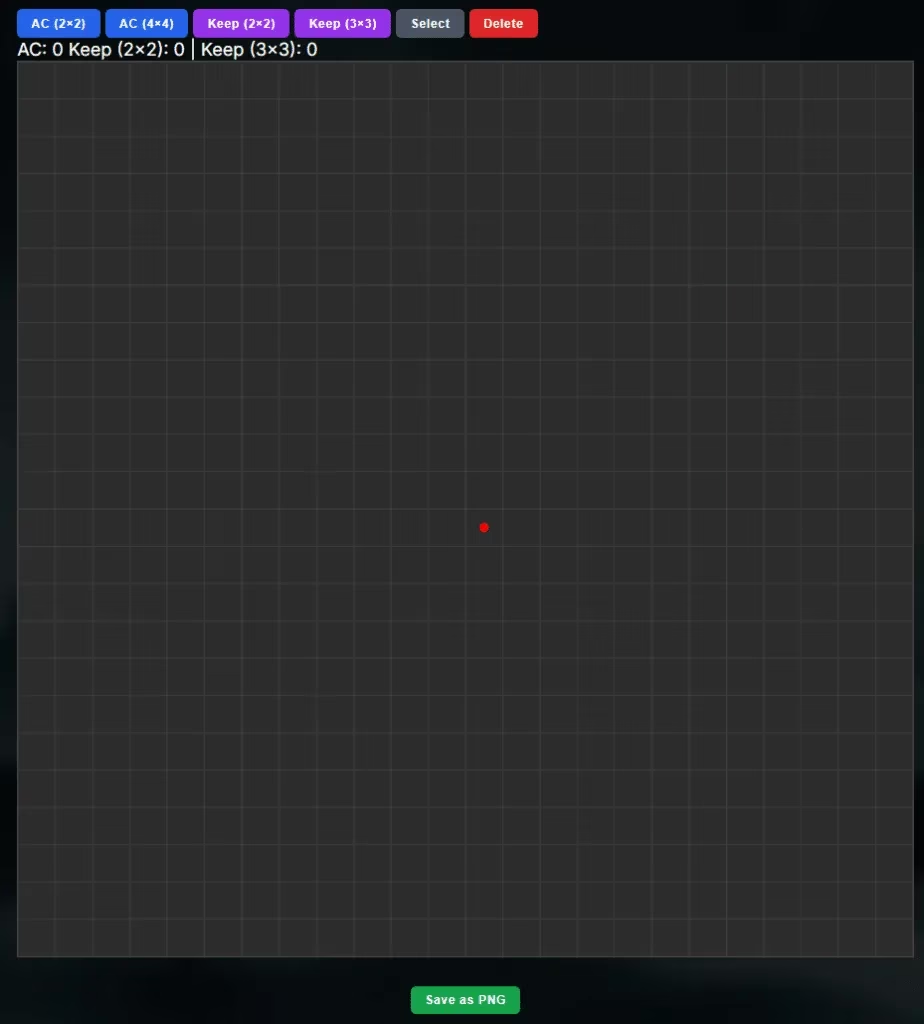
Before you click anything, here is the lineup of options you will see:
-
AC (2x2) - a smaller alliance city footprint
-
AC (4x4) - the bigger city footprint I usually need
-
Keep (2x2) - standard small keep
-
Keep (3x3) - slightly larger keep
-
Select - lets you click an existing element
-
Delete - removes the selected element
Why do you need a dedicated tool for this? Because coordinating dozens of keeps without a visual plan is like trying to herd cats through a swamp. The picture you export will save more arguments than any guild rule.
Step One: Understand the Grid
The very first thing you need to know is that the red dot represents the center of the grid. Treat that red dot as the heart of your layout. If you ignore it, your entire plan might be shifted off-center, and nobody wants an alliance city that looks like it is sliding off the map.
Step Two: Place Elements
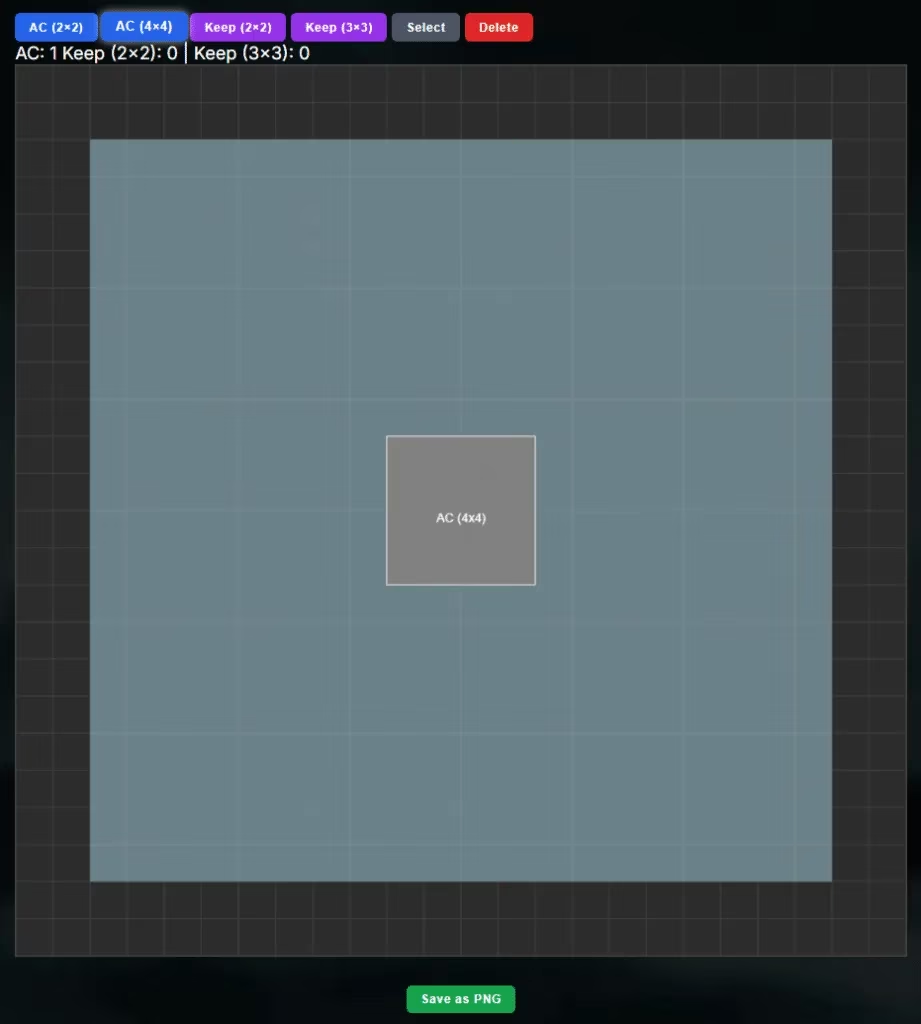
Select what you want from the top buttons, then click a spot on the grid. In the example below, an AC (4x4) has been placed. I recommend placing your largest structures first, because it is much easier to fit smaller keeps around them than the other way around. Did I learn this the hard way? Absolutely.
Step Three: Plan the Whole Alliance Layout
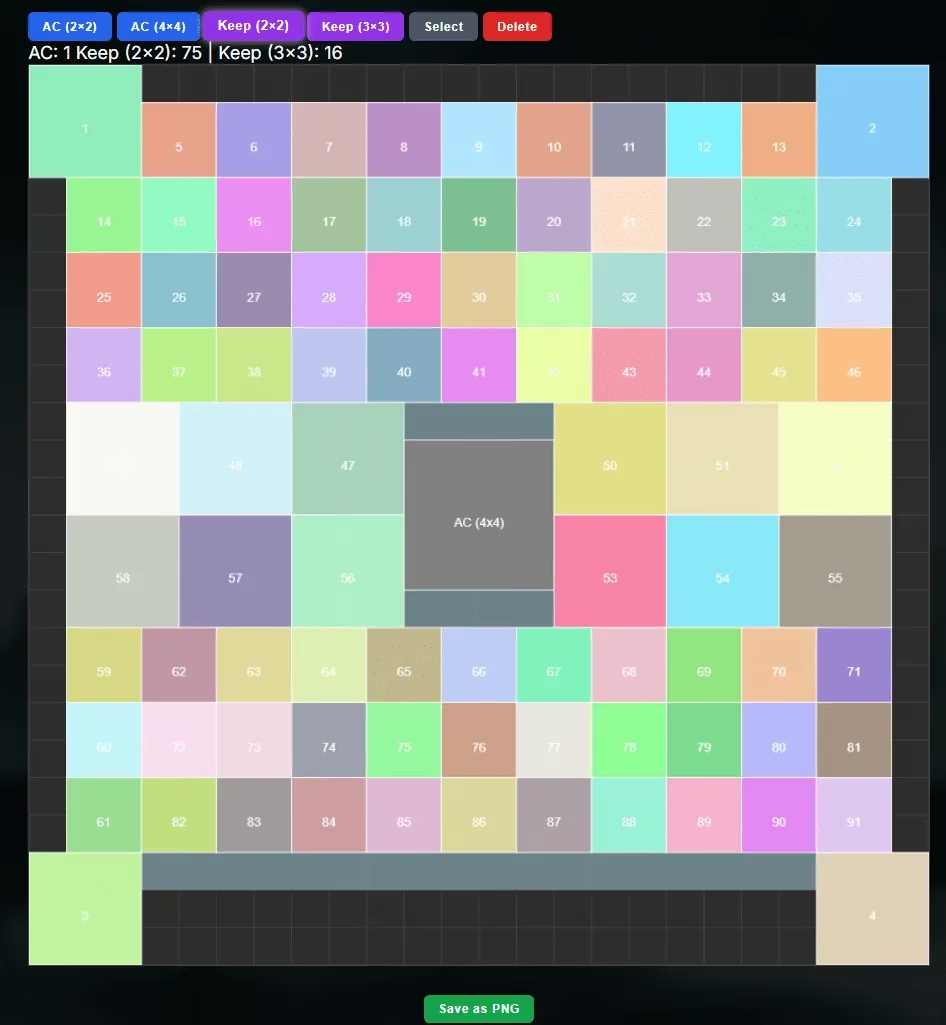
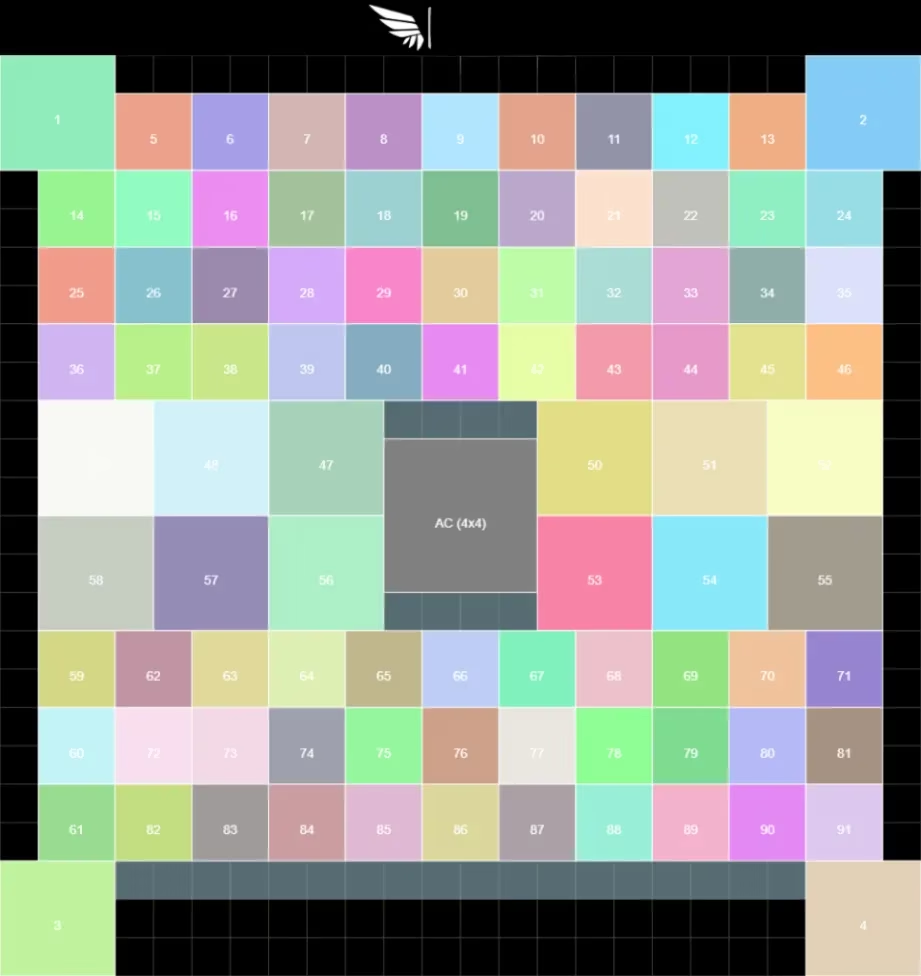
Now comes the fun part: populate the grid as much as you want. The tool places a number on each keep square. Use that number to assign teammates. This is brilliant because typing every player name on a mobile screen is a special kind of torture. If the leader says “take slot 42,” you just find slot 42 on the picture. No drama, no miscommunication, no accidental name-calling.
Step Four: Export the Layout as a Picture
When your layout looks good, click Save as PNG. The tool creates a clean image you can share with your alliance. I usually drop it into our Discord and say something like “follow this or perish.” The finished result can look surprisingly tidy, even if my actual city never quite matches my beautiful plan.
Here is a finished result example:
Step Five: Remove Mistakes
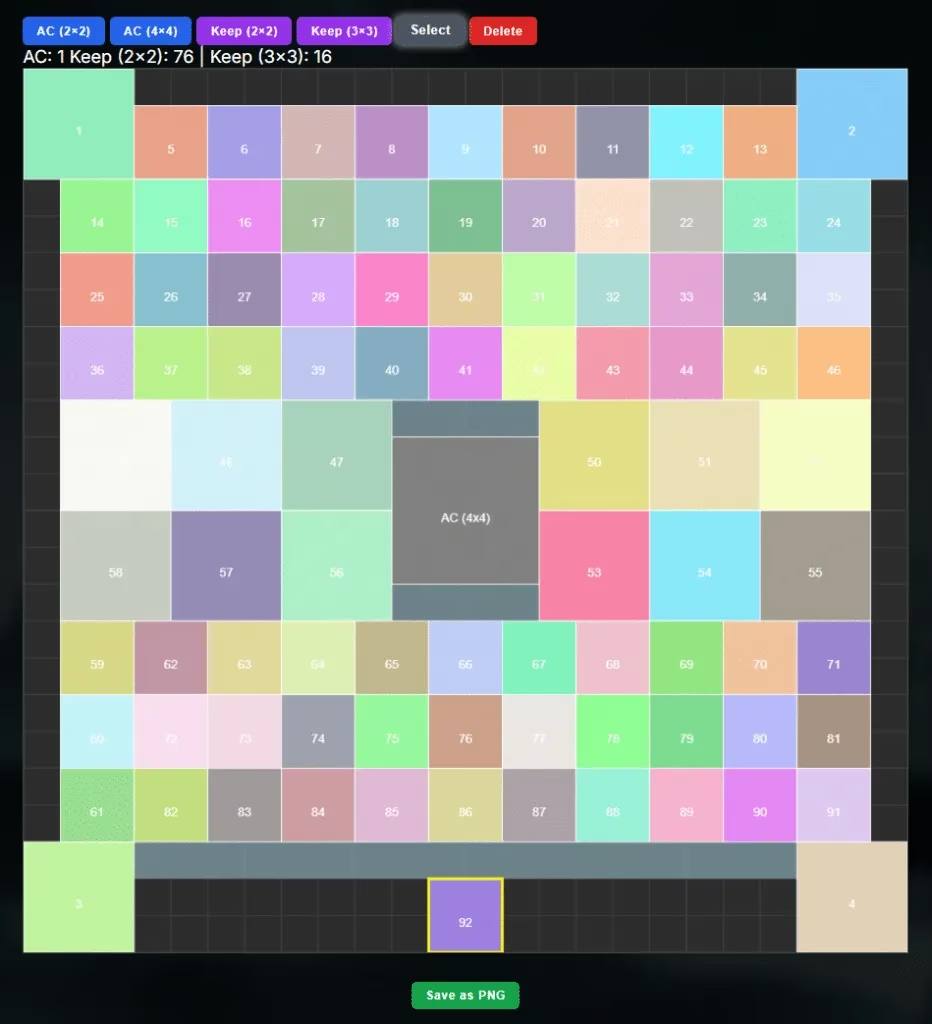
Made a mistake? Welcome to my life. The good news is that fixing it is simple. Press Select, click the element you misplaced, then press Delete. In the example below, keep 92 near the bottom of the alliance city is selected for deletion. You can then replace it with the correct structure. This feature is the only reason my alliance still trusts me with planning duties.
Final Thoughts as a Regular Player
As of 2026, this layout tool still deserves a spot in my bookmark bar. It works on mobile, but I strongly recommend using a computer or tablet because the grid gets fiddly on a small screen. If you are stuck on mobile, zoom in, take your time, and maybe avoid doing it while waiting for the bus. The tool handles both normal and Chalons alliance city planning, so you can prepare for different formats without losing your mind. Is it the fanciest tool in Evony? No. Does it solve the classic “wait, where am I supposed to teleport?” crisis? Absolutely.